

PART III — Becoming an Effective AI User
Book 16
Creating With AI
Creating With AI Is Different
There is a difference between asking AI to create something and creating something with AI.
The first sounds like outsourcing.
The second sounds like collaboration.
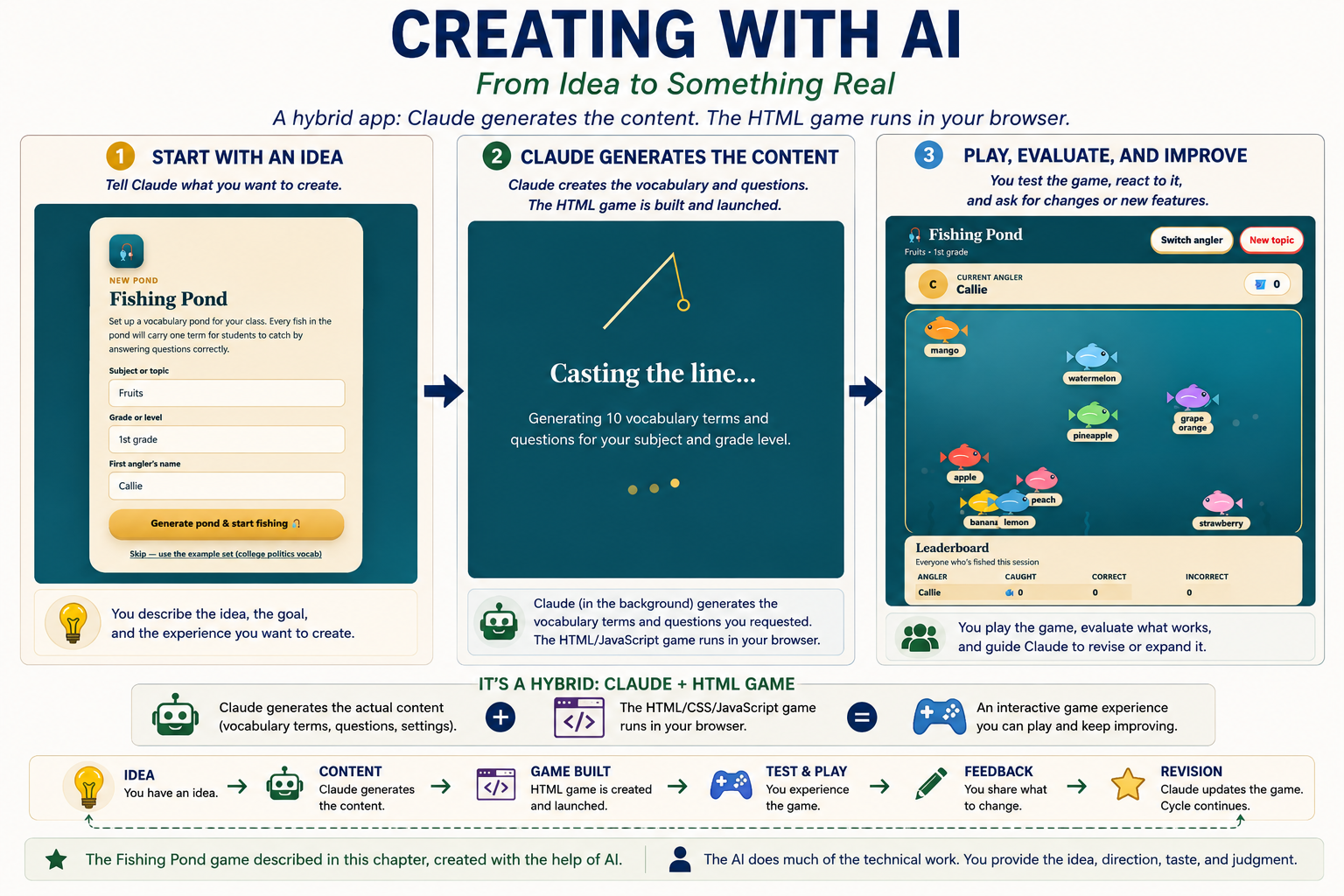
I discovered that difference when I used Claude to create HTML games and puzzles for my granddaughter. I had the idea for a fishing game, but I didn't have the programming skills to turn the idea into a working game myself.
I didn't need to know every line of code.
I did need to know what I wanted the game to be.
That changed how I thought about AI-assisted creativity.
I could describe the idea.
AI could produce a first version.
I could try it.
Then I could say what worked and what didn't.
The first version became the beginning of the creative process, not the end.
You Don't Have to Know Everything
One of the most useful things about creating with AI is that you don't have to begin with a complete specification.
You can begin with an idea.
Ask AI to create a first version.
Then look at what it produces.
You may discover that you want something different.
You may notice something you hadn't considered.
You may realize that your original idea wasn't quite what you wanted after all.
That is perfectly useful.
A rough idea becomes a first version.
The first version gives you something to react to.
Your reaction gives AI new direction.
The next version gives you something else to evaluate.
The conversation helps you discover what you want.
Create Through Conversation
Suppose you want to create a simple game.
You might start with:
"I want a simple fishing game that my granddaughter can play. I want it to feel playful rather than competitive."
AI produces a first version.
You try it and respond:
"I like the basic idea, but I want the fish to move at different speeds. I also want the player to decide when to cast the line."
AI revises it.
Then you might say:
"That's closer. Add a small surprise when the player catches a rare fish."
The process continues.
You don't have to describe every detail before you begin.
You can let each version help you decide what comes next.
The Same Idea Works for Writing
Creative collaboration with AI isn't limited to code.
Suppose you have an idea for an article or chapter but don't know how to begin.
Ask AI for several possible openings.
You don't have to use any of them.
You can react to them.
"Give me five possible openings. Make each one use a different approach."
Then:
"I like the third one. Keep its basic idea, but make it sound more like me."
Then:
"That's better. Make the second paragraph more personal."
The AI is generating possibilities.
You are selecting.
You are correcting.
You are deciding.
That last part matters.
AI can produce possibilities quickly. It doesn't automatically know which possibility belongs in your work.
Your Taste Is Part of the Process
You can tell AI:
"That sounds too formal."
"That's clever, but it doesn't sound like me."
"Keep the idea but lose the joke."
"Make it warmer."
"That's too dramatic."
"Use simpler language."
Each response gives the AI more information about the result you want.
This is why I don't think the most important skill in AI-assisted creativity is writing the perfect prompt.
A good prompt helps.
But creative work often develops through the conversation that follows.
You discover what you like by seeing possibilities.
Images Work the Same Way
The same process applies to images.
You might begin with a simple idea and then discover, after seeing the first image, that the composition isn't right.
You can ask AI to:
move the subject;
remove something from the background;
change the mood;
alter the setting;
make the expression more playful;
try a different visual approach.
The first image becomes something to evaluate rather than something you must accept.
That makes image creation feel less like ordering a finished picture and more like working through a series of possibilities.
The important skill is learning to see what the result actually contains.
Code Is Another Example
AI can make it possible for people who aren't professional programmers to create working software.
That doesn't mean the user has no role.
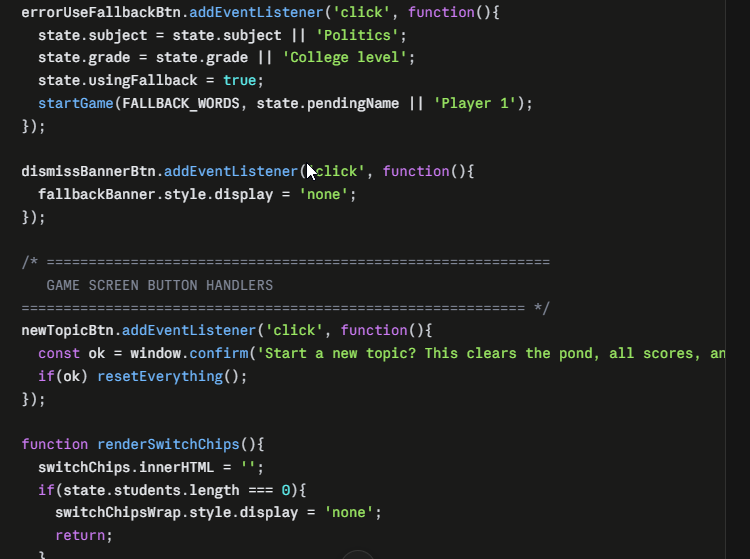
If AI writes hundreds of lines of HTML, you may never need to understand every line.
You do need to know what the program is supposed to do.
You need to test it.
You need to report what went wrong.
You need to decide what should change.
That is enough to make you an active participant in the process.
AI can do much of the technical work without taking the decisions away from you.
Who Is the Author?
Writing with AI raises a different question.
For a routine email, I might ask AI to draft almost the entire message and then edit it.
A book is different.
The ideas, experiences, decisions, examples, organization, and voice need to belong to the author.
AI can help draft, revise, reorganize, question, and suggest.
That doesn't make AI the author of the book.
Personal experience is an especially clear example.
AI can write a convincing story about a grandparent creating a fishing game for a granddaughter.
It cannot supply the fact that it actually happened to me.
The experience is mine.
AI can help me tell it better.
Leave Room for Surprise
Creative work can benefit from giving AI permission to suggest something you didn't ask for.
Try questions such as:
"What would you try that I haven't suggested?"
"Give me one idea that is completely different from my approach."
"What am I overlooking?"
"Take this concept in an unexpected direction."
Some suggestions will be useless.
Others may give you an idea you would not have found on your own.
The key is to keep your judgment in the process.
AI can generate possibilities faster than most people can evaluate them.
That is useful only if you remain willing to reject them.
Get Past the Blank Page
A blank page can make a good idea feel impossible.
AI can give you something to react to.
Ask for:
ten possibilities;
a rough outline;
a deliberately imperfect first attempt;
questions that help you decide what you want to say.
You can reject the result.
That isn't failure.
The goal is to get the creative process moving.
Sometimes the first useful thing AI creates is simply something you can react to.
Know When You're Finished
Creative projects can always be revised.
At some point, you have to decide that the work is finished.
Not perfect.
Finished.
The fishing game didn't need infinite revisions. It needed to become a game my granddaughter could enjoy.
A chapter doesn't need infinite revisions either. At some point, it needs to say what you want it to say clearly enough for the reader.
You decide when the work has reached that point.
That may be the biggest difference between asking AI to create something for you and creating something with AI.
If you simply request a finished product, the AI determines what "finished" looks like.
If you create with AI, you remain part of the process from the first idea to the final decision.
Take This With You
You don't have to begin with a perfect prompt.
Start with an idea.
Let AI produce something you can react to.
Then refine it.
Your purpose, taste, experience, and judgment remain part of the creative process.
AI can generate the possibilities. You decide what belongs.
Try This
Take a creative project you've been putting off.
Give AI your rough idea and ask:
"Give me three possible ways to develop this idea."
Choose one.
Tell AI what you like.
Tell it what you don't like.
Ask for another version.
Then ask yourself:
What did I discover about my own idea by seeing AI's first attempt?